2nd generation Intel(R) Core(TM) i5-2450M Processor (2.5 GHz with Turbo Boost up to 3.1 GHz)
Windows 8 or other operating systems available
Game on.
Download
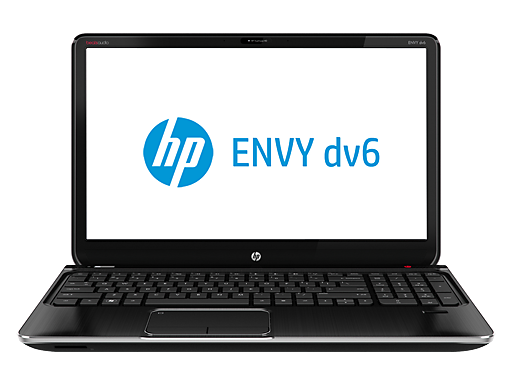
media fast and keep your Internet and games running faster. Make the HP
ENVY dv6 run at your pace by choosing powerful graphics and processing
speed options tailored to your needs.
To
make mobile gaming easier, the HP ENVY dv6 comes with a numeric keypad
and the innovative HP Imagepad, made exclusively for better precision
and improved gesture responsiveness.
The new entertainment center.
Movies.
Music. Games. See every move on the wide screen and hear every beat.
The HP ENVY dv6 comes standard with Beats Audio™ and quad speakers with
subwoofer for sound enhancing entertainment.
Play music and videos remotely on your PC from a smartphone or tablet. Enjoy wireless freedom thanks to HP Connected Remote.[1]
Sometimes
only a face-to-face conversation will do. With the HP TrueVision HD
Webcam[1], you always come off looking your best. Even in low light.
Exclusive HP Innovations.
HP
SimplePass makes your fingerprint your password. Easily access your
online accounts with a simple swipe of your finger, and keep your
identity to yourself. HP SimplePass remembers your passwords, so you get
to the good stuff faster.
HP CoolSense technology adjusts its temperature based on usage and conditions. It stays cool. You stay comfortable.
HP
ProtectSmart helps protect your notebook’s data from accidental bumps
and bruises. It senses motion and stops your hard drive to help protect
your entire digital life.
Internet access is required and sold separately.
Specs
Base, upgrade, and optional components, accessories, and software are listed. Upgrade and option choices may affect final price. • Available at starting price•Upgrade or optional
Internal specs
Operating system
Windows 8 64
Windows 8 Pro 64
Processor
2nd generation Intel(R) Core(TM) i5-2450M Processor (2.5 GHz with Turbo Boost up to 3.1 GHz)
NVIDIA(R) GeForce(R) GT 635M Graphics with 2048MB of dedicated video memory
NVIDIA(R) GeForce(R) GT 650M Graphics with 2048MB of dedicated video memory
Memory
8GB DDR3 System Memory (2 Dimm)
12GB DDR3 System Memory (2 Dimm)
16GB DDR3 System Memory (2 Dimm)
Maximum memory
Upgradeable to 16 GB
Memory Slots
2 DIMM
Hard drive
750GB 5400 rpm Hard Drive
750GB 7200RPM Hard Drive
1TB 5400RPM Hard Drive
750G 7200 Hybrid Hard Drive
Optical drive
SuperMulti 8X DVD+/-R/RW with Double Layer Support
Blu-ray player & SuperMulti DVD burner
Blu-ray writer & SuperMulti DVD burner
Network interface
Integrated 10/100 BASE-T Ethernet LAN
Wireless
802.11b/g/n WLAN
Intel 802.11b/g/n WLAN and Bluetooth(R)
Power supply
120W AC power adapter
Battery
6 Cell Lithium Ion Battery
30% off 9 cell Lithium Ion Battery
50% off 6 cell + 9 cell Lithium Ion Battery
Two 9-Cell Lithium-Ion Batteries
Battery Life
Up to 9 hours
Ports
3 SuperSpeed USB 3.0; 1 USB 2.0; 1 HDMI; 1 VGA; 1 headphone-out; 1 microphone-in
Expansion Slots
Multi-format digital media card reader
External Specs
Display
15.6-inch diagonal High Definition BrightView LED-backlit Display (1366 x 768)
15.6-inch diagonal Full High Definition Anti-glare LED-backlit Display (1920 x 1080)
Keyboard
Standard Keyboard
Backlit Keyboard
Dimensions
14.88 x 9.72 x 1.16 in
Weight
5.66 lb
Entertainment specs
Webcam
HP Webcam with integrated digital microphone
Audio
Beats Audio; HP Triple Bass Reflex Subwoofer
Around the World With Windows Store Apps
From a physics Ph.D. student-turned-app builder to chimps launching an indie game studio, app builders across the globe are bringing amazing experiences to Windows 8 and enjoying success along the way.
17
Chimpact by Yippee! Entertainment (U.K.)
February 26, 2013
Chuck your chimp through a stunning jungle landscape as you collect gems, medallions and bananas. U.K.-based independent developer Yippee! Entertainment brings simple, one-touch gameplay to four lush worlds (12 levels each) with irresistible characters and endless hours of fun. Chimpact recently achieved the No. 1 top paid app spot in the U.K. Windows Store, and developing a Windows Store app with DirectX 11 and Xaudio 2 helped Yippee! Entertainment extend their platform support and bring Chimpact to Windows Phone 8 in just a month’s time.
Start a jam session anytime, anywhere with Music Maker Jam. Simply combine the song parts and instruments to get the sound you want, adjusting tempo or adding spectacular effects in real time with the intuitive touchscreen control. Enjoy a full studio experience with this music jamming app from German developer MAGIX. Music Maker Jam was one of the first apps in the Windows Store and one of the first to pass the US$25k threshold. MAGIX is now making 80 percent revenue for the lifetime of Music Maker Jam.
Do the math with five calculators in one (Basic, Scientific, Programmer, Currency Converter and Unit Converter) with large buttons for quick, error-free typing. Perfect for your next adventure, Calculator² helps you convert more than 150 world currencies and more than 200 units for conversion across 17 categories. Richard Walters was a physics Ph.D. student looking for a decent scientific calculator on Windows 8. He loved the experience of building the app so much that he gave up physics for a career in app development.
Add some inspiration to your daily cooking routine with beautiful images and recipes from Cookbook. Browse more than 300,000 by category or search for a key ingredient, then add your favorite recipes to your personal recipe book for easy access at future mealtimes. French developer Slow Sense was a First Apps Contest Winner with Cookbook in 2011, and they’ve gone from a technology training company to an app development company in the space of a year.
The power of creation is in your hands! In this addictive puzzle game available in 12 languages, mix and match different combinations of fire, earth, wind and air to create an entire civilization. Work up from a simple microorganism to create animals, tools, storms and even armies. DoodleGod has already seen 500,000 downloads to date, and JoyBits was able to reuse 100 percent of code from the Windows Phone version when building the game for Windows 8.
Paint 4 Kids opens a world of artistic imagination with drawings and blank canvasses to fuel creativity and provide hours of fun. Fill a shape with a single tap, choose the size of your brush and then share and print your masterpiece. Ela & Pietro Lab is seeing thousands of downloads a day of Paint 4 Kids.
Urban Airship delivers targeted push messaging services for Windows Store apps to increase app user engagement and retention. The updated service supports push messages to Live Tiles, in addition to Toast Templates and Raw notifications, offering new ways for app builders to engage their customers through their Start screen. It took Urban Airship 3.5 years to send 10 billion push messages, and in 2012 Urban Airship reached more than 40 billion push messages sent.
This week, thousands have descended upon Barcelona, Spain, for Mobile World Congress, the world’s premier mobile industry event. In honor of this international gathering, we’re celebrating Windows Store apps from around the world, along with stories of the people working behind the scenes to bring those apps to life on Windows 8.
Microsoft today unveiled its reimagined Envisioning Center, which offers a hands-on experience with the future of business and leisure — and also serves as a laboratory for the company’s engineering teams.
The future of work and play is on display at Microsoft’s reimagined
Envisioning Center, the result of collaboration between the company’s
Strategic Prototyping team and Office Labs. Visitors can work on
interactive desks, talk with colleagues through digital walls, and cook
in a Kinect-enabled kitchen. Microsoft expects thousands of customers to
explore the new space each year.
“We want to excite customers about the direction we're heading in
and show that we are constantly thinking about new scenarios based on
trends and real work in Microsoft Research and the business groups,”
says Jonathan Cluts, director of Microsoft’s Strategic Prototyping team.
“These scenarios are based on reality, not science fiction.”
“We don’t imagine that we’re predicting the future,” says Anton
Andrews, director of Envisioning in Office Labs. “But it’s case of
staying on the cutting edge of the conversation, and promoting that
conversation.
”
110
Envisioning Center
March 01, 2013
The new Envisioning Center explores how technology will transform the way we live, work and play in the future.
Microsoft believes that working from anywhere will reach new levels of ease and sophistication. Create and move work freely across devices and displays using natural language, ink, touch and gesture.
Interactive workspaces will let you bring your ideas to life naturally, easily connecting to the insights, information and expertise you need as you work.
Workspaces that emphasize social activity help teams collaborate. Here, interactive whiteboards add smart assistance and remote participation to a brainstorming session.
In the workplace of the future, team meetings move from presentation and action items to real-time problem solving and execution. Technology in this action room amplifies the team’s ability to visualize projects, simulate real-time outcomes and make rapid decisions.
In the future, you will be able to explore new cuisines with recipes that adapt to dietary needs, and even get help cooking and learn a few new tricks from your personal, digital chef.
With a 4k display and smart lighting, your living room can naturally transform from a movie theater to an art gallery to a personal chat with loved ones who live many miles away.
Retail in the future blends the best of online and brick-and-mortar to personalize your shopping experience on the fly. Experience augmented shopping and safely share information across public and private displays.
A security researcher has found a loophole in how the HTML5 Web Storage
standard is implemented in the Google Chrome, Internet Explorer, and
Apple Safari browsers that could allow malicious websites to fill
visitors' hard disk drives with large amounts of junk data.
HTML5
Web Storage defines an API (application programming interface) that
allows websites to store more data inside browsers than was previously
possible by using cookies, which are restricted to a size of maximum
4KB.
The localStorage attribute of the Web Storage API allows websites to
store between 2.5MB and 10MB of data per origin—domain name—depending on
the browser used. Google Chrome enforces a limit of 2. MB, Mozilla
Firefox a limit of 5MB, and Internet Explorer a limit of 10MB.
However, the Web Storage standard warns that some websites might attempt
to circumvent the storage limit by storing data from their subdomains.
"User agents should guard against sites storing data under the origins
other affiliated sites, e.g. storing up to the limit in a1.example.com,
a2.example.com, a3.example.com, etc, circumventing the main example.com
storage limit," according to the standard, published by the World Wide Web Consortium.
"Chrome, Safari, and IE currently do not implement any such 'affiliated
site' storage limit," Web developer and security researcher Feross
Aboukhadijeh said in a recent blog post.
Since website owners can generate subdomains at will, they can exploit
this loophole to effectively gain unlimited storage space on visitors'
computers, he said.
Aboukhadijeh created a proof-of-concept website that uses this trick to
fill visitors' hard disk drives with junk data. The site was tested with
Chrome 25, Safari 6, Opera 12, and IE 10, and was capable of writing
1GB of data every 16 seconds on a Macbook Pro equipped with a solid
state drive (SSD), the researcher said.
"For 32-bit browsers, like Chrome, the entire browser may crash before
the disk is filled," Aboukhadijeh said. The attack does not work in
Firefox because "Firefox's implementation of localStorage is smarter,"
he said.
The Chrome developers acknowledged the issue in an entry on the Chrome bug tracker
, but finding a fix might not be easy. According to some people
involved in the discussion, limiting the localStorage space for
subdomains in relation to the limit for their respective domains might
create problems on sites like Github Pages or Appspot that provide users
with their own subdomains to create projects.
BlackBerry has started rolling out the first software update for its flagship Z10 smartphone.
The Z10 running on the BlackBerry 10
operating system has got its first firmware upgrade based on user
feedback. BlackBerry 10.0.10.85 brings a number of improvements
including better battery life, according to the firm. See also: BlackBerry 10 Price in UK: Q10 & Z10
BlackBerry said: "You've been using it for weeks, and we've been
listening to your feedback, and have been working on an update just for
you. It's already available from some carriers and we're working closely
with all our carrier partners to get it to you as soon as possible."
Five fixes
The top improvement, according to BlackBerry, is third-party app
performance, which means devleopers can build faster and smoother apps.
BlackBerry said to lookout for new apps this month including WhatsApp.
In at number two is a fix for Gmail calendars, improvements for call
logging and conversations in the BlackBerry Hub, and importing contacts
from online sources. BlackBerry has also enhanced the camera performance
in low light.
At number four is an improvement to the way in which the Z10 handles
video playback, and last but not least is better battery life. The
software comes with more than 60 battery-saving improvements, and
BlackBerry said heavy users should see a longer average usage per charge
cycle.
BlackBerry said the 150MB download is typically available over the
air (OTA), and users will get a notification. It will be roll out
globally over the next few weeks, but users can also check manually in
the software settings section of the menu.
Facebook is giving its News Feed section "a new look" and is planning to
reveal the changes next week during an invite-only media event.
Currently there are no details on the changes. "Come see a new look for
News Feed," reads an invitation emailed to journalists on Friday.
The social network will be unveiling the changes March 7 at its Menlo Park, California, headquarters.
Facebook's News Feed appears in the center column of a user's home page,
displaying a constantly updated list of stories and posts from people
and Pages that users follow on the site. Facebook has been tweaking it
since it launched in 2006.
The feature's algorithms for displaying certain friends' posts but not
others has led to some complaints from users over the years, while
others have expressed concern that it has become too noisy by
increasingly displaying advertisements based on users' "likes."
As often happens with Facebook changes, there's likely to be an interest
on any impact the News Feed revamping may have on user privacy.
Timeline changes also coming?
Facebook appears to be testing changes to its Timeline feature,
according to ReadWrite.com, which posted some screenshots and
commentary on Timeline changes apparently being rolled out to users in
New Zealand.
Hard on the heels of last week's release of the Chrome 25 browser into the Stable Channel, Google on Tuesday pushed its eventual successor—Chrome 26—into beta.
Whereas Chrome 25 was most notable for its inclusion of a new JavaScript Web Speech application
programming interface (API)—allowing developers to include speech
recognition features in their applications—the new Chrome 26 beta stands
out primarily for its use of a new spell-checking engine.
“Today’s Chrome Beta release brings improved spell checking to the
browser,” wrote Google software engineer Rachel Petterson in a Tuesday blog post.
Syncing the custom dictionary
Specifically, Google has refreshed the dictionaries for Chrome’s
default spell-checker, which now includes support for three additional
languages: Korean, Tamil, and Albanian.
Perhaps more generally exciting—particularly for users with multiple
devices—is that for those who sync their settings, the custom dictionary
now gets shared across devices.
“So, you won’t need to teach that new Chromebook how to spell your name,” Petterson noted.
Google Chrome BlogChrome's 'Ask Google for suggestions' is powered by the same technologies as Google search (Click image to enlarge.)
The "Ask Google for suggestions" spell check feature, meanwhile—which is powered by the same technologies as Google Search—now
includes support for grammar, homonym, and context-sensitive spell
checking in English. In the future, additional languages will be
supported as well, Petterson said.
The new spell checking engine—which has been available in Google Docs for some time—even understands proper nouns such as "Justin Bieber" and "Skrillex,” Petterson noted.
Mac support to follow
Chrome 26.0.1410.12, as it's officially called, also contains a
number of other new improvements, including a developer preview of app launcher on Windows;
forced compositing mode and threaded compositing on Macs; desktop
shortcuts for multiple users on Windows; updated menu styling in the
Windows version's user interface; and an asynchronous DNS resolver on
Mac and Linux.
The new changes will show up for Windows, Linux, and Chrome OS
users “in the coming weeks,” Petterson said, with Mac support following
after that. In the meantime, you can check them out for yourself in the
newest Chrome Beta, which is now available as a free download.
Instagram fans who want more instant gratification from the photo
sharing service and social network are getting some help from Polaroid.
In the first quarter of 2014,
you’ll be able to buy a Polaroid-branded instant digital camera that
will let you shoot photos, apply Instagram filters, share them on
Facebook and Instagram, and print your snapshot on Polaroid-style paper.
The idea makes sense considering that both Polaroid and Instagram appeal to people because of their hipster vibes.
It can’t be denied—tons of people get a kick out of Instagram. In fact, the service says more than 100 million people use it
every month. Unless you’re a photography purist, Instagram is fun to
use if you’re creatively-inclined, and transforms ordinary photos into
retro-style artistic creations that you can share with friends and
followers in just a few clicks on your mobile device.
The square-shaped Polaroid Socialmatic Camera
is a concept developed by ADR and fittingly resembles Instagram’s
little square app icon. Although actual product specs have yet to be
announced, when the concept was unveiled last May it was shown to
feature interchangeable lenses, an LED flash, a touchscreen, optical
zoom, 16GB of memory, Wi-Fi, Bluetooth, and, of course, its own printer
on board.
In the meantime, if you can’t wait to transform your Instagram pics into something you can hold in your hand, you might try SnapBox.
It’s an affordable and relatively quick way to turn your Instagram art
into masterpieces printed onto canvas and stretched onto classy black
frames.
To use it, you choose any photo on your mobile device or computer and email it to snapbox@snapboxez.com.
After a little while you’ll receive via email a preview of your art. You
just choose what size you want it printed, including square shapes
perfect for Instagram shots such as 5-by-5 and 9-by-9, as well as
whether you want it delivered to your house for a nominal fee, or
shipped for free to a retail store near you.
What’s impressive is not only how affordable SnapBox is, but also the
quality of the frames and artistic feel of the finished product.
Instagram makes them look more interesting than the originals, which,
again, is the beauty of the app and the reason it resonates with so many
people.
And now with nearly instant printing tailored just for Instagram on the
horizon, it’s a good bet even more people will find the app a fun way to
express their creativity.
Samsung's imminent Galaxy S4 smartphone will launch in six different models.
Samsung has announced that it will unveil the Galaxy S4 smartphone
in less than two weeks on 14 March in New York. Now we've heard that
the flagship handset will be arriving in six different models like the
iPhone.See also: Galaxy S4 launch date confirmed: Samsung phone to launch on 14 March.
It what would be a very Apple-style launch, SamMobile
has reported that the Samsung Galaxy S4 will launch in black and white
colour options and three different storage capacities - 16GB, 32GB and
64GB.
Although large storage options will be available, the Galaxy S4 will supposedly have a microSD card slot for adding more.
The site is also reporting that the Samsung wants to put out one
Galaxy S4 model which supports 4G LTE and 3G mobile networks, which
makes sense.
There's also news on the possible processor for the Android
smartphone. Qaulcomm's Snapdragon 600 chip may be used instead of the
Exynos 5 Octa 8-core processor. This is because the Qualcomm is LTE
enabled but the Samsung Exynos is not.
The Exynos could easily be coupled with a separate 4G LTE chip but
SamMobile said "our insider told us that Samsung is mostly sure to use
Snapdragon instead of Exynos."
Other possible Galaxy S4 specifications include 2GB of RAM, 4.99in
Full HD screen, a 13Mp camera, 2Mp front facing camera, wireless
charging and Android 4.2 Jelly Bean.
It will have to go up against the iPhone 5, Sony Xperia Z, HTC One and a wave of incoming phablets announced at this year's MWC.
Bank of America blames a data breach on another company that revealed
internal emails related to monitoring of hacktivist groups including
Anonymous.
A group affiliated with Anonymous that calls itself the "Anonymous
Intelligence Agency: Par:AnoIA" released what it claims is 14GB of data
belonging to the bank and other organizations, including Thomson
Reuters, Bloomberg, and TEKsystems.
Email correspondence in the data suggests that TEKsystems was a
contractor working for Bank of America and charged with monitoring
public activity by hacker networks targeting the bank.
In a statement, Bank of America did not confirm it was working with
TEKsystems, an IT consultancy that is part of the Allegis Group. But it
said the source of the data came from a third party. Bank of America
said its own systems were not compromised.
"In this instance, a third-party company was compromised," according to a
Bank of America statement released last week. "This company was working
on a pilot program for monitoring publicly available information to
identify information security threats."
Officials with TEKsystems and Allegis group could not be immediately reached.
In a news release,
Par:AnoIA said the data came from an unsecured server in Tel Aviv. "The
source of this release has confirmed that the data was not acquired by a
hack but because it was stored on a misconfigured server and basically
open for grabs," the group said.
Hactivists target corporations
Large corporations have become increasingly interested in monitoring social networks
and hacker forums for indications that they may come under attack.
Companies that specialize in that kind of monitoring have also been
targeted by groups such as Anonymous.
HB Gary Federal, a California security consultancy, was compromised by Anonymous
in 2011 after the company had researched the real identities of some
Anonymous members. That breach disclosed emails describing a proposal to
help Bank of America's law firm, Hunton and Williams, discredit the
whistle-blowing site WikiLeaks.
For its part, the banking industry has drawn the ire of Anonymous since it cut off payment processingof donations to WikiLeaks.
Email reveals corporate research
Par:AnoIA's data dump includes a batch of more than 500 emails with
brief reports on the Occupy Wall Street movement and hacking groups such
as TeaMp0isoN
and UGNazi. It also contained briefings on public releases of
credit-card numbers. The sources for the information were public
sources, including Twitter, Pastebin, and The Pirate Bay, according to
the emails.
The data also included a special file listing of four intelligence
analysts who authored some of the emails, including three who work for
TEKsystems and one who formerly worked for Bank of America.
All four have deleted their LinkedIn profiles, but the profiles still
appear in Google's cache. One analyst's profile was live as recently as
three days ago.
Par:AnoIA said its release also includes the application OneCalais,
which collects unstructured information from news stories, blogs and
research reports. The software
is made by ClearForest, an Israeli company owned by Thomson Reuters.
Officials with Thomson Reuters and ClearForest could not be immediately
reached.
The compromised data also contained salary information on executives, although much of it appears to be publicly available.
BARCELONA -- The emergence of the Firefox OS
is just one more reason that Microsoft and BlackBerry will need to
sharpen their marketing savvy to sell more smartphones in 2013.
Microsoft officials at Mobile World Congress here conceded that the
company's Windows Phone 8 platform must be differentiated from the
technology of market leaders Android and iPhone, as well as newcomers
like Firefox in order to grow above a 5% share of the smartphone market.
"Firefox's arrival indicates the smartphone industry is so
competitive and dynamic," said Greg Sullivan, a senior product manager
for Windows Phone, in an interview with Computerworld at the Mobile
World Congress (MWC) here this week. "It's far from game over in the
mobile space."
It seems obvious that Firefox will run on lower-cost smartphones, but
the market is still waiting to see what kinds of devices emerge to run
it. Meanwhile, Windows Phone can produce a high quality user experience
across a variety of low- and high-end devices, Sullivan contended.
Nokia's Windows Phone 8-based Lumia 920 offers "killer hardware,"
Sullivan said, adding that the company this week also introduced the
Lumia 520 and Lumia 720. Nokia CEO Stephen Elop called the new phones a
bid to "push innovation to more people." (Only the Lumia 520 will be
sold in the U.S., by T-Mobile, so far.)
Microsoft didn't have a booth at MWC, but used shuttle buses to ferry reporters to a hotel
where officials showed off how a Windows Phone 8 lets users run an
application over various platforms, including a PC and Xbox in a
combined Microsoft "ecosystem," Sullivan said.
"The notion is that I have all different ways to get to stuff," Sullivan said.
Microsoft officials here conceded that the company needs to do a
better job of showing consumers that they can run Office 365, Excel and
other productivity apps on various kinds of computers—a message
Microsoft tried to spread when Windows Phone 7 was first introduced.
Still, users have complained that they must pay for three different
versions of many games and apps to run them on three different
platforms, such as Xbox, PC and smartphone.
MicrosoftMicrosoft's "Skulls of the Shogun" supports cross-platform game play.
During a demonstration of the Skulls of the Shogun game, a Microsoft
marketing official said that he had to buy three versions of the game for Xbox, a Windows Phone 8 and a laptop, which cost $25 in total.
Sullivan said it is possible that Microsoft will eventually have a
single app store for buying applications that work on different devices.
So far, Windows Phone and Windows 8 share the same kernel, but are not
synonymous and need to be different to allow app developers to
accommodate different screen sizes and resolutions and many other
factors, Sullivan said.
Windows Phone has attracted honors and recognition for some basics,
including its "live tiles" concept on the interface that allows a person
to set up a "theoretically endless" number of applications to run on
the home screen, Sullivan said.
BlackBerry picked up some of the live tile concept in its new BlackBerry 10
smartphone, the Z10, and some Android phones are even showing design
(if not function) similarities to the live tiles concept, Sullivan said.
"It's flattering to see others adopt elements of the Windows Phone design and philosophy," he said.
Sergey Brin, Google co-founder and head of the company's Glass project,
said the computerized eyeglasses are more masculine than smartphones.
Brin wore the Google Glass device as he spoke Wednesday at a TED
conference in Long Beach, Calif. He made it clear that his vision for
the future of search is that people won't have to make queries or
disconnect from personal interactions to get the information they need.
"When we started Google 15 years ago, my vision was that information
would come to you as you need it," said Brin, according to a TED blog.
"You wouldn't have to search query at all... But for now, we get
information by disconnecting from other people, looking down into our smartphone."
No smartphone screens
Brin isn't comfortable with staring down onto a smartphone screen.
"Is this the way you're meant to interact with other people?" he asked
conference attendees. "Is the future of connection just people walking
around hunched up, looking down, rubbing a featureless piece of glass?
It's kind of emasculating. Is this what you're meant to do with your
body?"
Brin talked about Glass and the future of digital connectivity on the same day that Googleclosed the application period
for testing the wearable computers. The company on Feb. 20 announced it
was looking for Glass "explorers" and asked applicants to tell how they
would use the computerized glasses in 50 words or less.
Google on Thursday declined to say how many people applied to be in the
first test group. However, a Google spokesman said the company is
looking for several thousand explorers. The spokesman did not comment on
when the first explorers will be announced.
Brin, during his talk, referred to the first explorers as "a few early, bleeding-edge adopters."
Those applicants, who must be over 18 and live in the U.S., need to be
ready to pay up for being an early adopter. Google said the first
explorers will need to pay $1,500 plus tax for the glasses, along with
travel expenses to attend a special "pick-up experience" in New York,
San Francisco or Los Angeles.
When Google called for explorer applications, the company also released a
video showing people using the glasses while skydiving, dancing,
playing with their children and riding a roller coaster.
The video also shows off the Glass interface, which is a translucent
pane on the right eye glass shows options for taking photos, shooting
videos, getting directions, sharing, search and showing maps with
graphic overlays.
The glasses, which Google noted are now called Glass instead of Google
Glass, also are designed to enable users to activate all these options
with voice control.
BARCELONA—Using your smartphone while driving can be dangerous—don’t do it. But using Accel’s new Voyager smartphone while driving? Supposedly not dangerous, according to the company.
The Israeli telco is showing off its new “connected car smartphone” at
Mobile World Congress. At first glance, this phone looks like a large,
somewhat clunky smartphone with a touchscreen and physical keys. But
pick it up and—oh wait, you can’t. That’s because the Voyager isn’t
really a smartphone, it’s an in-vehicle installation that happens to run
Android and make phone calls.
Photo by Sarah Jacobsson PurewalThe Voyager on display at Mobile World Congress in Barcelona.
The Voyager is a car-mounted device that connects directly to the car’s
battery. The phone has a 3.5-inch touchscreen, a 12-key number pad, and
dedicated buttons for accessing GPS and voice controls. It runs Android
4.1 Jelly Bean, though the operating system has been skinned beyond
recognition: the home screen features larger-than-normal icons, text,
and buttons catered to easily using the phone while driving.
Still, the Voyager does run Android, and Accel’s spokespeople assured me
that it’s capable of running any Android app (even those that offer
streaming video). So it’s more of a smartphone than today’s OEM
in-vehicle touchscreens, which are typically limited by app selection
and other features in the name of safety.
Like other smartphones, the Voyager also makes phone calls. However, you
can’t put the phone up to your ear, because, well, it’s mounted to the
car. The phone does have a one-touch voice dialing button, so you can
call people without having to pick up the phone. (You can also dial
numbers using the physical number pad).
The phone can use your existing phone number via a twin SIM
card—basically, your operator can give you a SIM card that exactly
mirrors the SIM card in your actual smartphone. Then, when someone calls
your phone number, both phones will ring and you can choose which phone
to pick up.
Of course, the Voyager can also accept a regular SIM, but then you’ll
have a car-specific phone number (and you’ll also have to pay for
another data plan).
The Voyager will be sold as a kit, complete with phone, mounting tools, and an OBD
(on-board-diagnostics) dongle. The OBD dongle can be plugged into your
car’s OBD port, so you can monitor your car’s health via the Voyager
smartphone. According to Accel spokespeople, the unit will require a
professional installation—albeit a quick one.
A “connected car smartphone” is an interesting concept, but I wonder if
there’s really a place for it. Assuming you’ve got a smartphone, and
possibly a touchscreen in the head unit of your car, do you need an
extra mounted touchscreen in smartphone form? Possibly not.
But it might help you out legally. Many places only allow interaction
with touchscreens and/or mobile devices if they are mounted in the car
(such as mounted GPS units). So maybe the Voyager will let you play
Angry Birds and watch YouTube videos while you’re driving, though I’m
not sure that’s a good thing.
The Voyager is expected to hit European and U.S. markets later this year, and will cost between $500 and $600.
Researchers at the University of Leeds managed to reduce the energy
consumption for cooling by between 80 percent and 97 percent—a
not-so-insignificant amount. How? By dunking the electronic components in a liquid coolant.
Normally, electronics and liquids don't mix—just ask your laptop after
you douse it with your morning cup of coffee. But Dr. Jon Summers, who
leads the team of researchers responsible for this attempt, says that
the liquid they're using is amazing stuff. Unlike most other liquids, 3M
Novec, the non-flammable coolant that the Leeds team used, does not
conduct electricity. This means that it shouldn't fry electronic
equipment that comes in contact with it.
Liquid-cooled computers aren't exactly a completely unknown phenomenon.
We've seen mineral oil in a variety of awesome casemods before. That
said, the most impressive thing about this attempt is exactly how much
energy is being saved here.
According to the researchers, this liquid coolant system is a "silent,
next-generation liquid cooling process that relies on the natural
convection of heat," which should be good news to anyone who can't stand
the incessant humming of computer fans.
The Icetope system reportedly uses just 80 watts of power and is capable
of functioning without normal data center facilities like
air-conditioning, humidity control systems and air purification. To put
that in perspective, that's only about as much as what a standard light
bulb uses. Meanwhile, a Falcon Northwest Tiki gaming system that PCWorld
tested last summer has a 450-watt power supply. Not bad.
Twitter can seem like something of a guessing game, especially when it
comes to timing. When should you post your tweets in order to reach the
most users? Well, that could be anyone's guess—unless you use Tweriod.
This free service analyzes your Twitter account and then tells you the best times to Tweet. To
sign up for Tweriod, you simply grant the service access to your
Twitter account and it goes to work, analyzing the performance of your
past 200 tweets, your followers' past tweets, and those of the people
you follow. In several minutes, it generates a report which you can view
online at your Tweriod dashboard. The free version of Tweriod is
limited to 1,000 followers and only lets you generate a report once a
month. The Premium version, which is available in monthly versions
starting at $4 or for one-time reports starting at $5 each, removes
these restrictions.
Tweriod's dashboard is neatly organized and offers a host of details about the timing of your Twitter account. Tweriod's report is presented in a neat, clean layout that's easy to
comprehend. It shows you what times you have the most exposure, and
breaks it out into weekends, weekdays, and specific days of the week. It
also shows you what time most of your followers are online, and again
breaks it out into weekends, weekdays, and specific days of the week. It
even includes an hourly breakdown of your online followers. All of
these specifics are a very nice touch, as they allow you to examine your
Twitter account in great detail and plan accordingly.
Tweriod
has a lot in common with Timely, which is no longer available to
consumers. Timely, which is now available only in an enterprise-level
version for Demandforce customers, analyzes a user's tweets and then
publishes them automatically based on when it thinks they'll have the
most impact. Tweriod, meanwhile, doesn't actually publish your tweets;
it just tells you when you think they'll have the most reach. Tweriod
does let you post tweets, but it publishes them immediately: It does not
let you schedule them based on the results of its analysis.
For
scheduling, Tweriod pushes users to Buffer, a free service that
analyzes overall Twitter trends (not your individual accounts) and
automates the posting of tweets based on that information. Buffer, which
also works with other social networks including Facebook and LinkedIn,
lets you schedule tweets or will automate the posting of them for you.
Tweriod's
tools will be useful for anyone who's wondering why their tweets aren't
quite taking off. While it can't help you compose better tweets, it can
offer advice on the best time to post them. I do wish it had a
scheduling feature built in, but its integration with Buffer is a
tolerable workaround.
Note: The Download button on the Product Information
page takes you to the vendor's site, where you can use the latest
version of this Web-based software.
BARCELONA—Gesture control technology has already found a place in TVs, in gaming systems like Microsoft Kinect, and in at least one free-standing interface from Leap Motion, which lets you control your PC with hand movements.
The next frontier is mobile devices, and several companies I talked
to here are pushing their own solutions to the problem to device makers.
Most of these companies have no products, only prototypes. But device
makers are very interested in letting us control their devices with
hand gestures that mimic the touch gestures we already use to direct the
operating systems and apps in our devices.
I saw gesture technologies here in Barcelona that use either
ultrasound, infrared light, or a camera to detect the gestures of the
user. Let's start with ultrasound.
Recognizing gestures with sound
The Norwegian company Elliptic Labs showed off its ultrasound-based gesture tech at MWC.
The prototype tablet it demonstrated for me had a series of small
holes around the edges of the screen that emit ultrasound bursts.
Elliptic LabsElliptic Labs' ultrasound gesture tech in action
These bursts bounce off the user's hands and return to receiving
sensors on the device. This action tells the device what gestures the
user is making in front of, or off to the sides of, the screen.
[See Windows 8 Gesture suite in action.]
The company hopes to license its “Windows 8 Gesture Suite” to
Windows-based tablet makers. The Suite lets the tablet recognize a
series of gestures that are based on the touch gestures already
understood by the OS, like the oft-used side-swipe movements.
Gesture for the camera
The Israeli company PointGrab has a somewhat simpler way of enabling gestures.
The company's technology is just a piece of software with algorithms
that use the phone or tablet's existing camera to detect hand motions,
as shown in the image above.
CEO Haim Perski points out that the solution is easier than other
gesture technologies, because there's no additional technology that a
device maker has to design into the device.
Perski demonstrated the tech by using it to control a camera app that
his company developed. The app, called CamMe, lets you control the
camera on your phone or tablet hands-free by making a hand-closing
gesture in front of the camera. The app then waits a few seconds and
takes the shot.
[CamMe for iOS]
Motion and light
The Swedish company Neonode takes yet another approach to the problem.
Neonode's idea is to let the user control the action on the screen by
gesturing on the table around a smartphone or on the borders of the
screen on a tablet.
The company showed me a smartphone outfitted with a plastic sleeve
with tiny holes around the sides that emit infrared light. The pulses of
light bounce off the users fingers to detect motion.
NeonodePlaying smartphone Pong with Neonode gesture control
The app in the demo was a set of drums on the screen that you could
play by tapping on the table top near the corresponding drums and
cymbals on the screen. It's easy to see how the technology could be used
in gaming control.
[Watch a Neonode game-playing and music demo.]
Neonode is also working with some large automakers on infrared-based gesture control for drivers.
The company showed me a steering-wheel prototype with rows of
infrared light sensors over which the driver could move his fingers to
control things like audio volume, heating and air conditioning,
headlight brightness, and even a telephone dialer. All of these controls
show up on a screen built into the windshield.
If operating the stereo and answering phone calls in the car can be
done without taking one's hands off the steering column, it could truly
make driving in today's connected cars a lot safer.
When will gesture control arrive?
It's hard to say exactly how mature and stable these gesture control
technologies would be in real-life products. But the demos I saw here
seemed to work well, and the benefit to the user is clear.
I'd wager that gesture control will show up in tablets first.
Gestures are a natural in tablets because we like to watch video and
play games on the larger screens, and the video and games would look a
lot better if not viewed through a layer of fingerprints. Also, gesture
controls allow us to keep our greasy mitts off the screen.
By Mobile World Congress 2014, a handful of phones and tablets will
very likely have shipped with some type of gesture control. Ultrabooks
and other PCs with built in gesture control should arrive quickly too.
Gesture control will take a little longer to show up in cars because
automakers tend to move more slowly in building in new tech. But in-car
gesture control seems like a winner of an idea. Watch for it on show
floors around 2015 or 2016.


 Google Chrome Blog


 Microsoft


 Photo by Sarah Jacobsson Purewal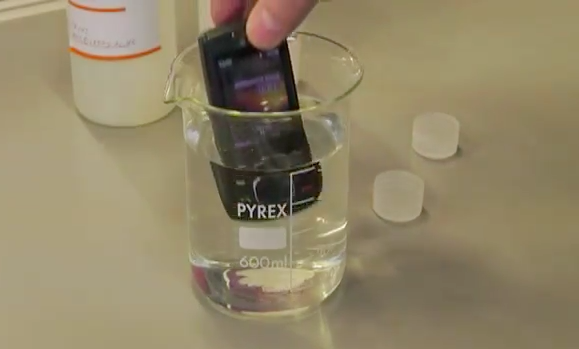

 Elliptic Labs
 Neonode


